Jefi Mail · A private mail app for macOS
Your inbox is nobody else’s business.
Jefi Mail connects your Mac straight to your email provider. No servers in between, no account to create, nothing to learn. Just your mail, in a better light.
What Jefi does
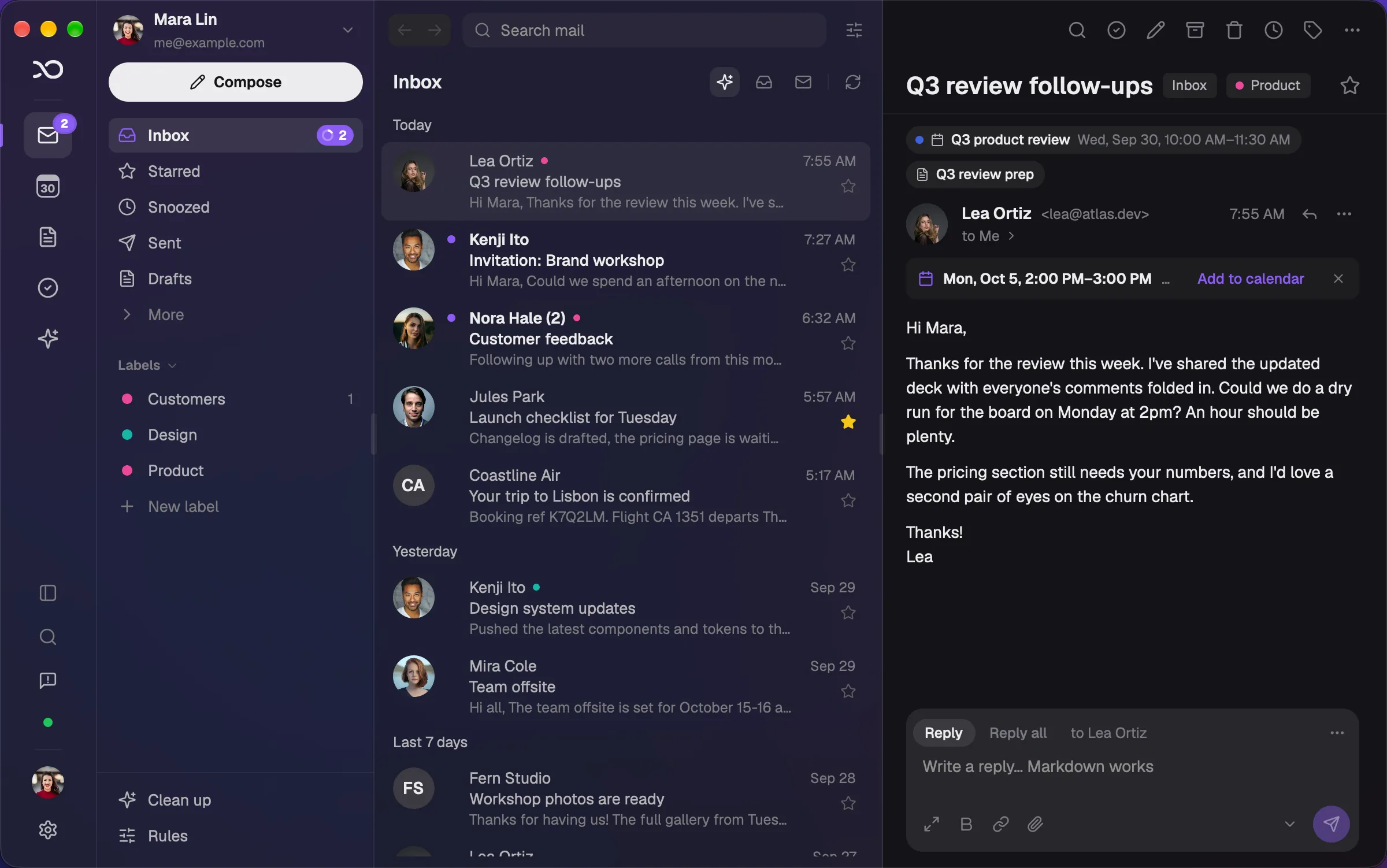
Mail, calendar, notes and tasks. One quiet app.
A slim rail keeps Mail, Calendar, Notes and Tasks one click apart, each with its own sidebar. Plans and to-dos that start in your inbox stay tied to the email they came from.
Calendar
A calendar that lives with your mail.
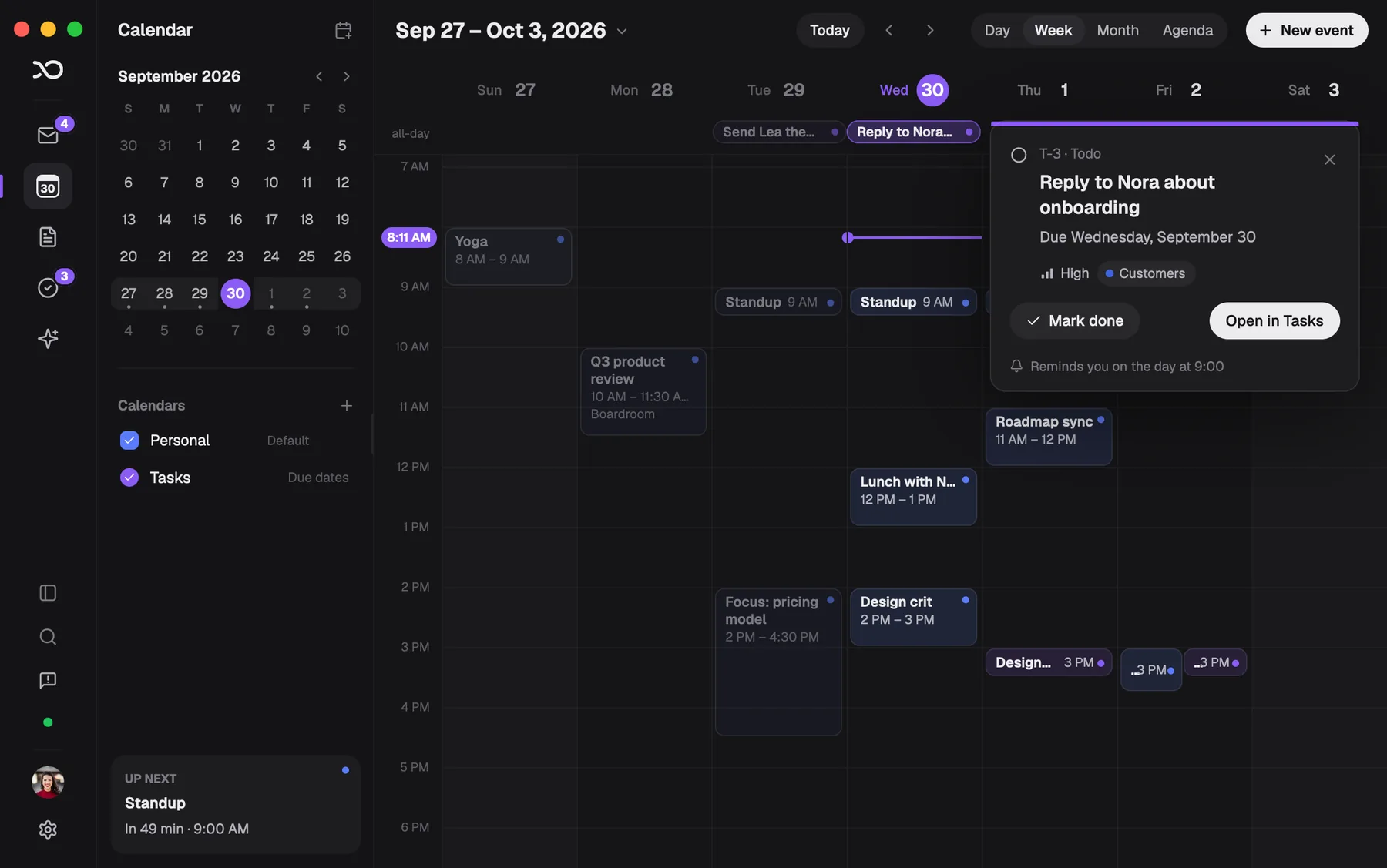
Day, week, month and agenda. An event keeps the email it came from one click away, and its guest list shows who’s going, who’s a maybe and who hasn’t answered. Add guests, press Save and send invites, and the invitations go out from your own address.
Your calendars live on your Mac, in Jefi. They don’t sync with Google or Microsoft calendars; they work with them through ordinary email invitations.
Dates in email
“Monday at 2pm?” One click, and it’s in.
When a message mentions a time, a quiet strip under the header offers to add it to your calendar. Check the title, pick a calendar, done. The event remembers the email it came from.
Dates are found on your Mac. Nothing is sent anywhere to be read.
Invitations
Answer invitations without signing in to anything.
Invitations from Google Calendar, Outlook and Apple Calendar open as a card with the time, the place and who’s coming. Accept, Maybe or Decline sends the standard reply by email, so the organiser’s calendar updates the way it always does.
Notes
Notes that remember where they came from.
Write the plan down next to the thread that started it. Link a note to emails and events and find it from either side: a message shows its notes, and a note opens its messages. Plain Markdown, searchable, and kept on your Mac.
Tasks
Turn an email into something done.
Press T on an email and it becomes a task, titled from the subject and due on the date the email mentions. Tasks have a status, a priority, projects and labels; see them as a list or a board, and open one to change anything in a click. Every task keeps the conversation it came from one click away.
With AI turned on, Jefi can also suggest the action items in a thread. Nothing is added until you choose it.
Due dates
Due dates on your calendar. Reminders when you want them.
A task with a due date shows on your calendar beside your events, and moves when the date does. Click it to mark it done or open it. Choose when you’re reminded in Settings (at the due time, half an hour or an hour before, 9:00 on the day) or give a task its own.
Tasks aren’t copied into your calendar, and nothing syncs anywhere: the calendar simply shows the tasks on your Mac.
Keyboard
Find anything. Do the rest from the keys.
Press ⌘K to search or jump anywhere: a conversation, a mailbox, an action. Single keys archive, reply, star and make tasks, and ? lists every shortcut when you need a reminder.
Menu bar
Your day, one click away in the menu bar.
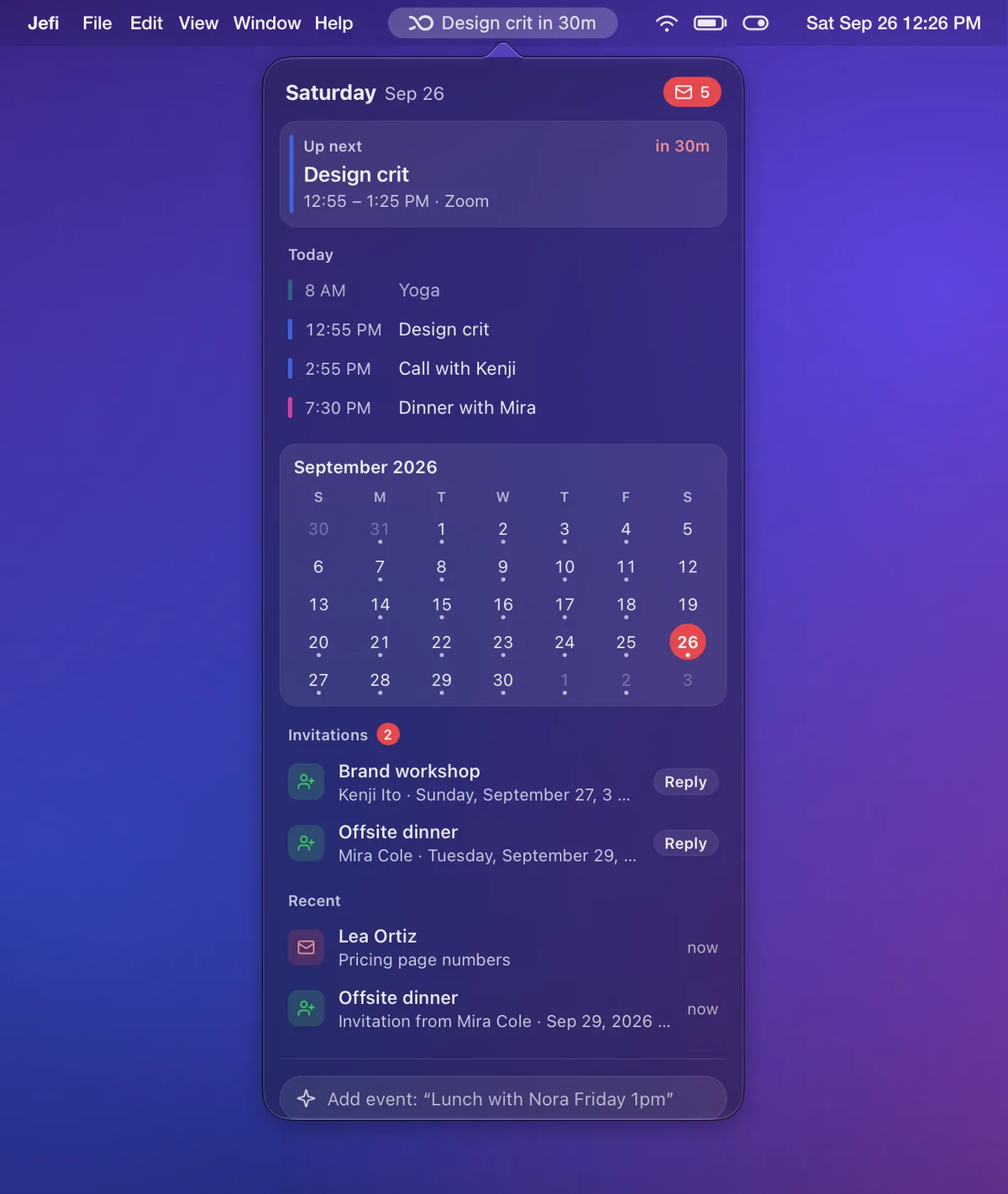
Jefi sits in the menu bar with your next meeting and a countdown. Click it for today’s agenda, tasks due today, the month, invitations waiting for an answer and what just arrived. Type “Lunch with Nora Friday 1pm” to add an event, or “Task: call Kenji” to add a task, without opening the window.
Close the window and Jefi keeps running up there, so mail keeps syncing and new mail, invitations and reminders still reach you.
Everything in Jefi
The whole list. Nothing extra to buy.
Everything below is in the download and the 14-day trial, in one app, on your Mac.
- Conversations, with Priority, All and Unread views
- Search on your Mac, with from:, has:attachment, before: and more
- Snooze a conversation until it’s worth your time
- Send later, and undo send for up to 20 seconds
- Screener: new senders wait outside the Inbox until you let them in
- Rules that sort new mail as it arrives
- Clean up by sender, newsletter, age or size, and unsubscribe
- Formatting, contact autocomplete, drafts and an Outbox that retries
- Attachments preview with Quick Look and download only when opened
- Find in conversation, print, save as PDF, view the original
- New mail within a second or two; offline changes wait and go out later
Calendar
- Day, week, month and agenda views
- As many calendars as you like, each with its own colour
- Repeating events, and changes to just one of them
- Accept, Maybe or Decline invitations from Google, Outlook and Apple
- Invite guests; invitations and cancellations go out from your address
- Reminders, with separate defaults for timed and all-day events
- Dates in email found on your Mac and added in one click
- Every event keeps the email it came from
Notes
- Markdown notes that save as you type
- Link notes to emails and events, and find them from either side
- Pin the ones you need; search the rest
- Links stay readable after the email or event is gone
Tasks
- Make a task from any email with T; it links back to the conversation
- Due dates read from the email, or typed: “Send the deck Friday 3pm”
- Backlog, Todo, In Progress, Done and Canceled, with priorities and T-12 numbers
- Projects and labels, with a view for each
- List or board, grouped by status, priority, project or due date
- Due dates on your calendar, with reminders you set in Settings or per task
- Suggested action items, if you turn AI on
Menu bar & notifications
- Your next meeting and a countdown in the menu bar, or the unread count
- Today, tasks due, the month, invitations to answer and what just arrived, one click away
- Add an event or a task by typing a sentence
- Compose, new event, new note or new task, without the window
- Keeps running when the window closes; hide the Dock icon if you like
- Notifications for new mail, invitations, events and tasks
Privacy & security
- Straight from your Mac to your provider. No Jefi servers
- Passwords and keys stay in macOS Keychain
- Remote images blocked until you ask, so tracking pixels stay quiet
- See where a link really goes before you open it
- Optional phishing list, checked on your Mac
- No analytics, no telemetry, no Jefi account
AI assistant, if you want one
- Off until you turn it on; off means no connection to any AI provider
- Anthropic with your API key
- OpenAI with your API key or your own Codex CLI sign-in
- Summarise a thread, draft a reply, rewrite or proofread
- An assistant that can search, read, archive, snooze and label for you
Accounts
- Gmail, Outlook, iCloud, Fastmail, Yahoo, Zoho and any IMAP server
- Sign in with Microsoft for Outlook and work accounts
- Several accounts, each with its own name and colour
- Removing an account removes its mail from your Mac too
Keyboard & speed
- ⌘K finds any action, mailbox or conversation
- Single keys to archive, reply, star and step through mail; ? lists them all
- G then I, S, D or T to jump between mailboxes
- Native on Apple silicon, and quick in very large mailboxes
Everyday
- Dark or light, with five accent colours
- Resizable panes; snippets and unread counts, on or off
- Updates download quietly and are checked before they install
- A short What’s new after each update
Works with Tinycast, Raycast, Shortcuts, scripts and AI apps. See integrations
Privacy
The whole data path. All of it.
Most mail apps quietly copy your inbox to their cloud first. Jefi can’t. There is nowhere for it to go.
Your Mac
Mail, search and secrets live here.
Your provider
The one you already chose to trust.
Jefi’s servers
Not in the path. We never built them.
What we collect about your mail.
A short list, because the honest answer is short. If you buy, we keep the order Polar tells us about; if you only write to us, we keep your email address. That’s the lot.
Read the privacy policy. It’s one page.- The contents of your email
- Never
- Your contacts and address book
- Never
- Your passwords
- Stay in macOS Keychain
- Search queries
- Run on your Mac
- Usage analytics and telemetry
- None
- Advertising profile
- None
- A Jefi account
- Doesn’t exist
Simplicity
An inbox is a place. It shouldn’t be a presence.
Mail, calendar, notes, tasks. That’s the app.
Four places on a slim rail, every inbox you own in a single view, and nothing to configure before it’s useful.
Fast enough to forget.
A genuinely native Mac app. It opens instantly, searches locally, and keeps working when the Wi-Fi doesn’t.
Then it gets out of the way.
No feeds. No streaks. The assistant stays off until you turn it on. Read what matters, reply, and get back to your day.
Also not included
- Ads
- Tracking
- Sign-up
- Subscriptions
- Feeds
- Streaks
- Upsells
- Cloud sync of your mail
- “Engagement”
Price
Try it for two weeks. Then pay once.
The download is the full app, free for 14 days, with no card and no account. Keep it and it’s one payment, for three of your Macs, forever. The trial is how you decide, so purchases are final.
Read the licence and how buying works.One-time purchase · macOS
Jefi Mail for macOS
Founding price. Pay once, use it on three Macs, keep it forever.
Download Jefi MailApple silicon · macOS 13+ · 14-day free trial, no card, nothing to cancel.
Buy a licence- One purchase, three Macs, no subscription
- Works with Gmail, Outlook, iCloud, Fastmail and IMAP
- 14 days free before you pay anything, card or no card
Payment and tax are handled by Polar, our merchant of record. Your licence key arrives by email.
Questions
Before you let a new app into your inbox.